
Features
Switchboard Inbox brings every customer conversation from every business you run into one list, answers what it can, and tells you what needs you.
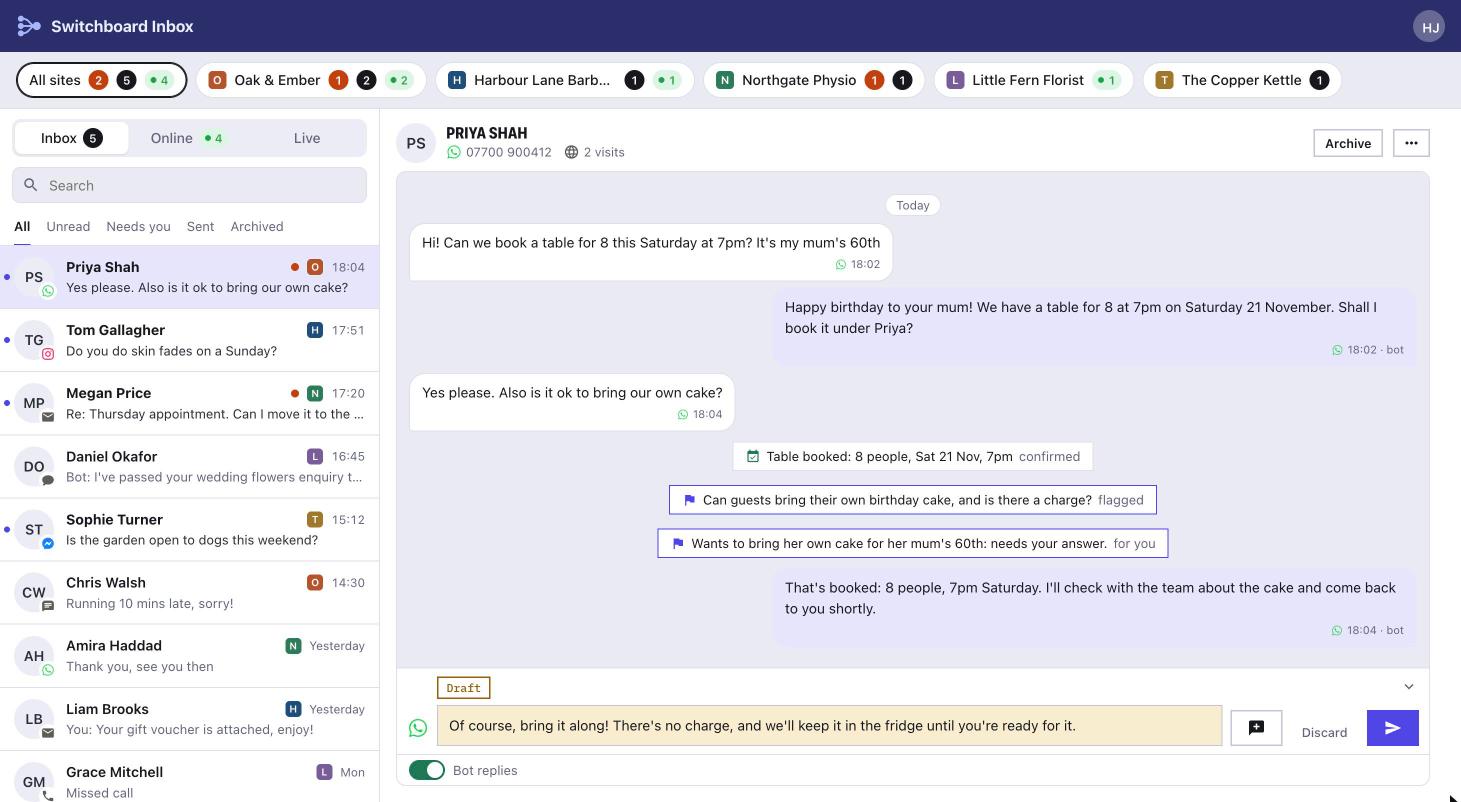
One inbox for every business
Every message, from every channel, from every business, in the order it arrived.
Every channel in one list
WhatsApp, Instagram, Facebook Messenger, email, texts, website chat and calls, each with its own mark on the conversation.
Marked by business
Each conversation shows which business it came to. Pick one business at the top to see only its messages.
Answer as that business
Replies go from that business's own WhatsApp, Instagram, phone number or email address, with its own signature.
Unread, Needs you, Sent and Archived
Filter the list, search it, and clear it: archive, junk or mark as unread and the next conversation opens.
A bot that knows when to ask you
It answers from what the business has told it, and hands over when it doesn't know.
Drafts or replies
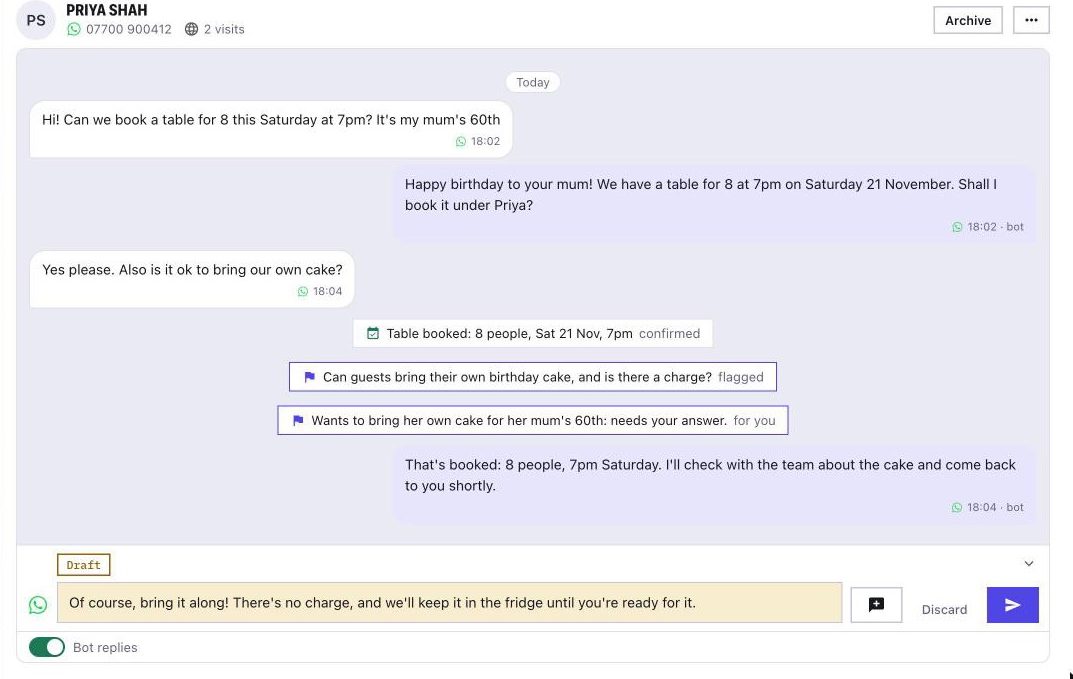
For each channel, it drafts replies for you to check, or answers straight away. One switch turns it off for any conversation.
Needs you
What it can't answer is flagged in the conversation with what they asked, and the conversation gets an orange dot in the list.
Learns from you
Answer a flagged question once and it keeps the answer for the next customer. It picks up how you write, too.
Bookings and pay links
Connected to your booking system, it can find a free time, book it and send a deposit link.
Follow up where they'll see it
Customers start on website chat and leave. You can reach them on the channel they use.
New thread
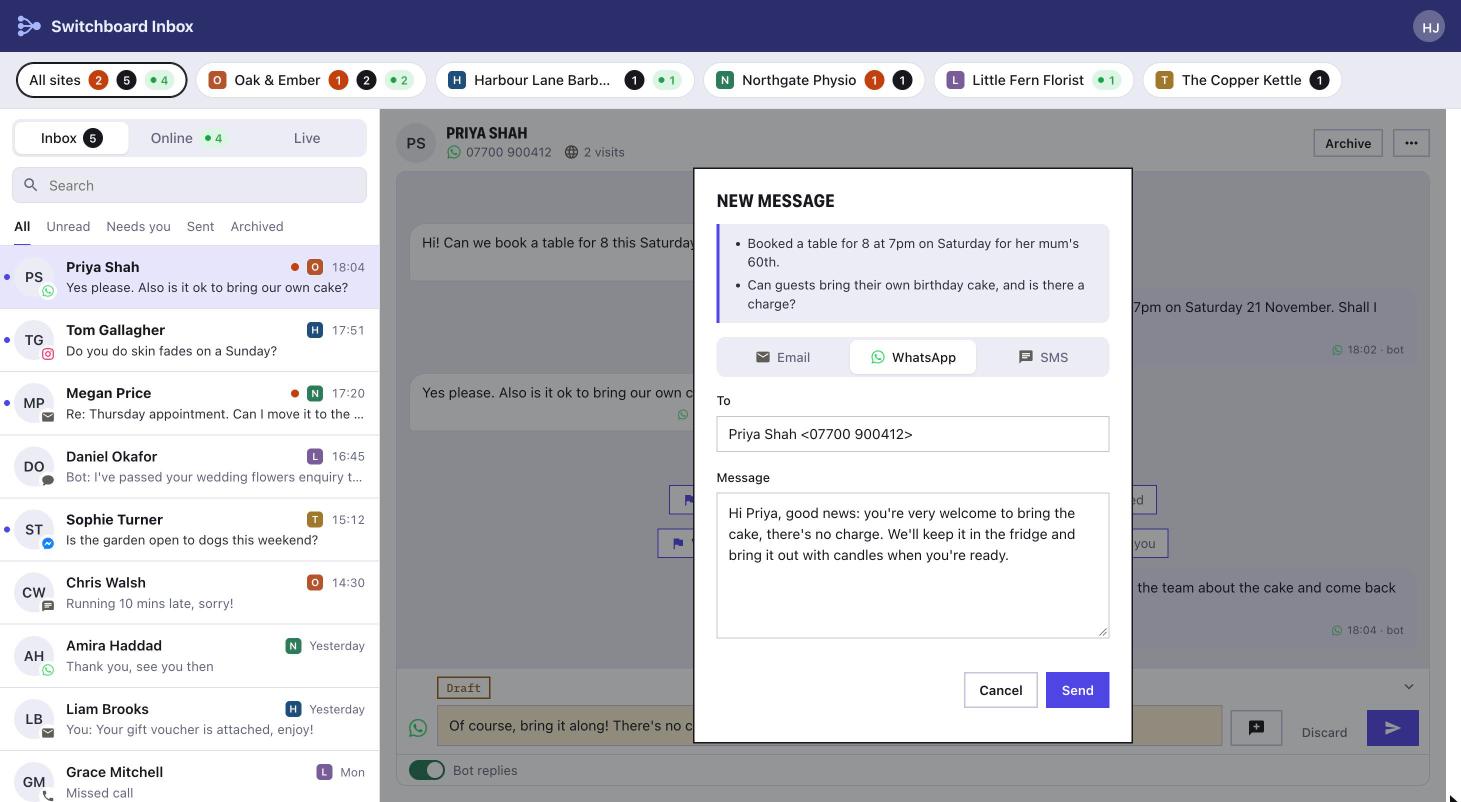
Start a conversation on WhatsApp, a text or email from the one you're in, with what they wanted shown above your message.
A note in the old conversation
The old conversation is archived with a line saying where it went on, and its open questions move with it.
Needs you clears
Once you've answered, it comes off the Needs you list.
See every business at once
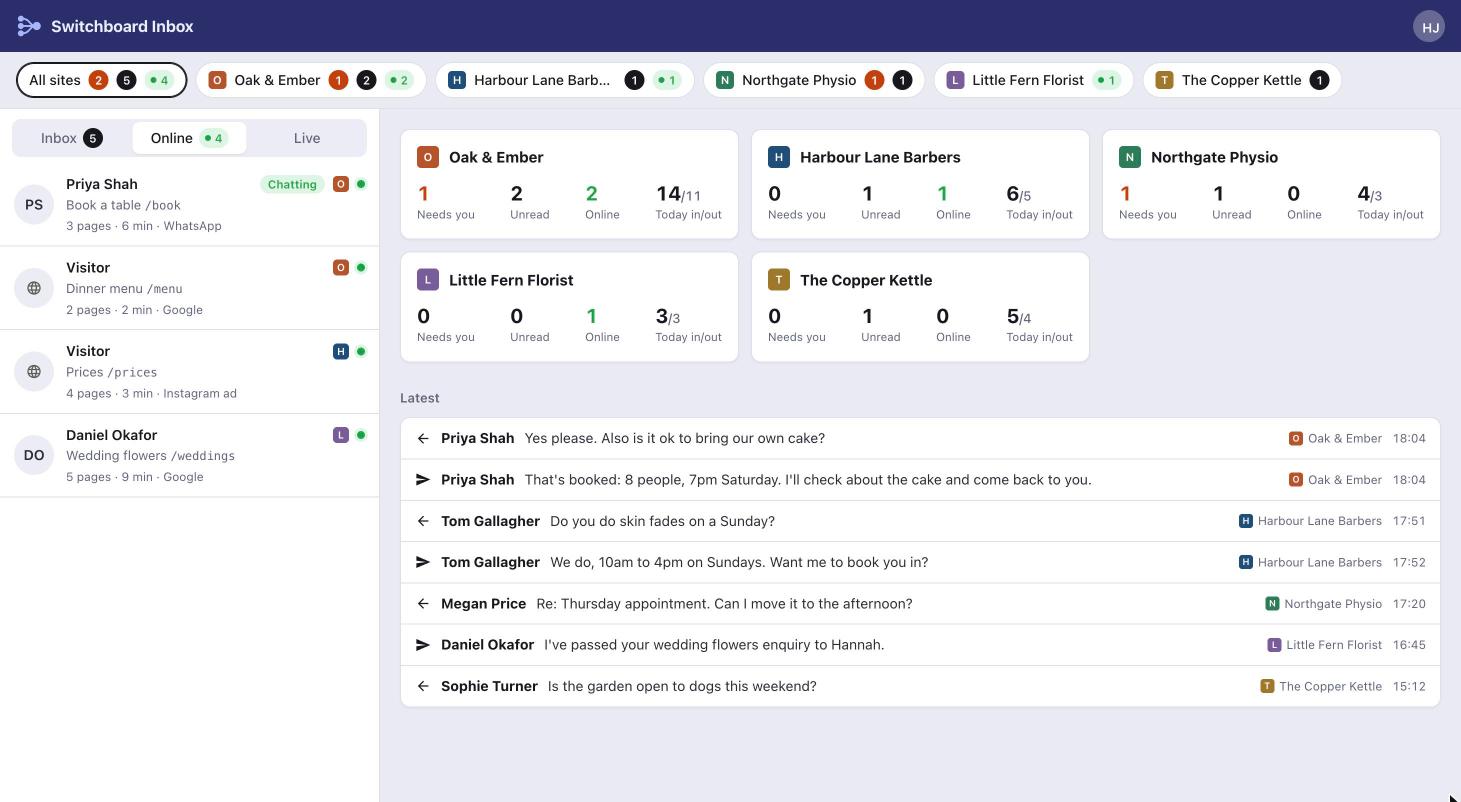
An overview of all your businesses, and who's on their websites right now.
A card for each business
What needs you, what's unread, who's online and today's messages in and out.
Online now
Who is on each website, the page they're on, how long they've been there and where they came from.
Live
Every message in and out across all your businesses, as it happens.